
Build Your Dream Computer Online with Online PC Builder Tools
- Mar 13
- 4 min read
Building your dream computer used to mean hours of research, trips to multiple stores, and a lot of guesswork. But now? You can do it all online, from the comfort of your couch. Yep, online PC builder tools have revolutionized the way we customize and buy computers. Whether you’re a gamer craving the latest graphics card, a professional needing a powerhouse for video editing, or just someone who wants a reliable everyday machine, building your own PC online is easier and more fun than ever.
Let me walk you through how to make the most of these tools, what to consider, and how to avoid common pitfalls. Ready? Let’s dive in.
Why Use Online PC Builder Tools?
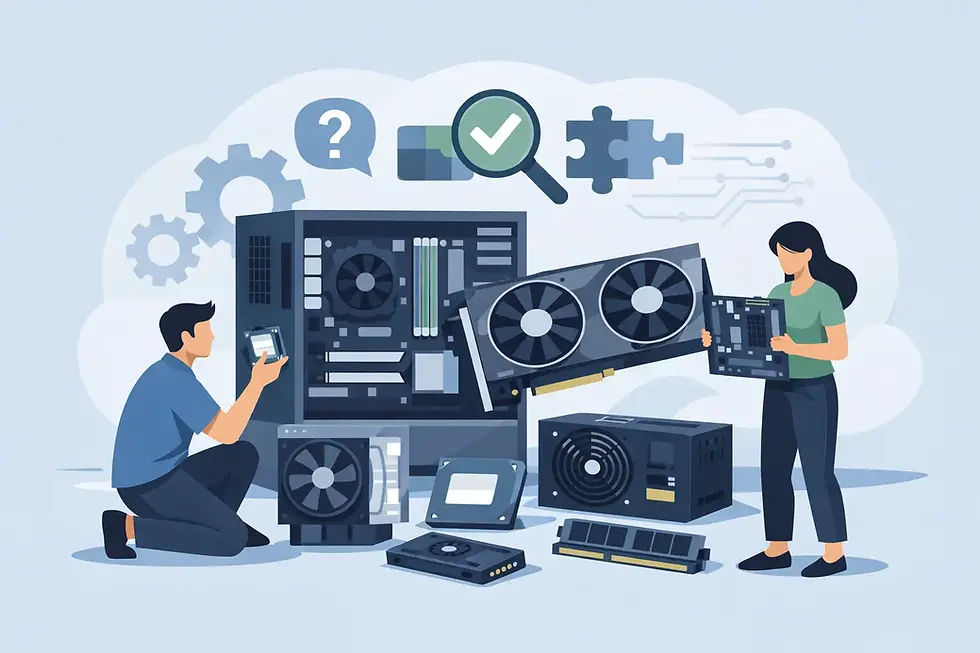
Online PC builder tools are like your personal computer workshop, but virtual. They let you pick every component - from the CPU to the case - and see how it all fits together. Here’s why I think they’re a game-changer:
Instant Compatibility Checks: No more worrying if your motherboard supports that fancy new processor. The tool flags incompatible parts immediately.
Budget Control: You can set a budget and tweak your build until it fits perfectly.
Visual Customization: Some tools even show you a 3D model of your build, so you know exactly what it’ll look like.
Convenience: No need to visit multiple stores or websites. Everything’s in one place.
Expert Recommendations: Many tools suggest parts based on your needs, saving you time and guesswork.
Imagine building a PC that’s tailored exactly to your needs, without the stress. That’s the power of online PC builder tools.

How to Choose the Right Components Online
Picking parts can feel overwhelming, but it doesn’t have to be. Here’s how I break it down:
1. Start with Your Purpose
What will you use your PC for? Gaming, video editing, programming, or just browsing? Your choice affects every component.
Gaming: Prioritize a powerful GPU and a fast CPU.
Professional Work: Focus on CPU cores, RAM, and storage speed.
Everyday Use: Balanced specs with good reliability.
2. CPU and Motherboard Compatibility
The CPU is the brain of your PC. Make sure the motherboard supports the CPU socket type and chipset. Online PC builder tools handle this for you, but it’s good to know.
3. RAM and Storage
RAM: 16GB is a sweet spot for most users, but gamers and pros might want 32GB or more.
Storage: SSDs are a must for speed. Consider an NVMe SSD for your OS and apps, plus a larger HDD for files.
4. Graphics Card
This is crucial for gaming and creative work. Check the GPU’s power requirements and size to ensure it fits your case.
5. Power Supply Unit (PSU)
Don’t skimp here. A reliable PSU with enough wattage keeps your system stable.
6. Case and Cooling
Choose a case that fits your components and has good airflow. Cooling options like fans or liquid cooling can keep your PC running smoothly.
7. Peripherals and Extras
Think about monitors, keyboards, and mice. Some online builders let you add these to your order.
Building Your PC Online: Step-by-Step
Here’s how I usually approach building a PC online using these tools:
Step 1: Pick a Base Build or Start from Scratch
Many sites offer pre-configured builds you can customize. This is great if you want a starting point.
Step 2: Customize Your Components
Use the online PC builder tool to swap parts. The tool will warn you if something doesn’t fit or isn’t compatible.
Step 3: Check Your Budget
Keep an eye on the total price. Adjust parts to stay within your budget without sacrificing performance.
Step 4: Review and Confirm
Double-check your build specs. Look for any missing parts like cooling or cables.
Step 5: Place Your Order
Once you’re happy, place your order. Some services even offer assembly and testing before shipping.

Tips for a Smooth Online PC Building Experience
Building a PC online is exciting, but here are some tips to make it even better:
Read Reviews: Check user reviews for parts to avoid surprises.
Use the Best Online Custom Computer Builder: For a seamless experience, I recommend using the Skull PC Configurator Page that offers a wide range of parts, expert support, and reliable assembly.
Plan for Upgrades: Choose a motherboard and PSU that allow future upgrades.
Watch Out for Shipping Times: Some parts might take longer to arrive.
Ask for Help: Many sites have chat support or forums if you get stuck.
Why Building Your PC Online Beats Buying Pre-Built
Sure, pre-built PCs are convenient, but building online has perks you can’t ignore:
Customization: You get exactly what you want, no compromises.
Better Value: You often get more performance for your money.
Learning Experience: You understand your machine better.
Upgrade Path: Easier to upgrade parts later.
Plus, with online PC builder tools, the process is less intimidating than ever.
Final Thoughts on Building Your Dream Computer Online
Building your dream computer online is not just about assembling parts - it’s about creating a machine that fits your lifestyle perfectly. With the right tools and a bit of guidance, you can build a PC that’s powerful, reliable, and uniquely yours.
Remember, the key is to use trusted online PC builder tools, plan your build carefully, and don’t rush. Whether you’re gaming, working, or just browsing, your dream PC is just a few clicks away.
Ready to start building? Check out the Skull PC Configurator Page and bring your dream computer to life today!


Comments